
Neku: OC character creator
Neku Avatar StudioEntertainment
4.711.58K Reviews
- Version
- 1.8.78.11
- Installs
- 10.00M
- Age Rating
- Teen
Screenshots
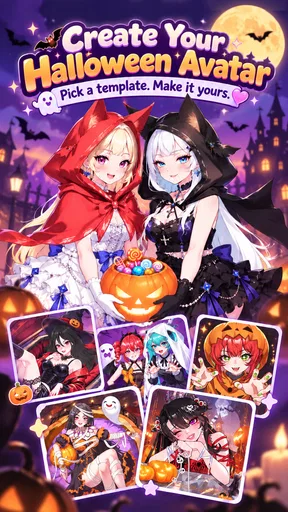
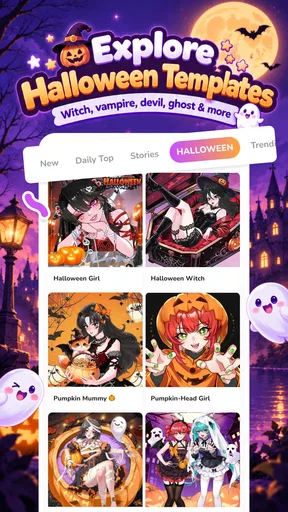
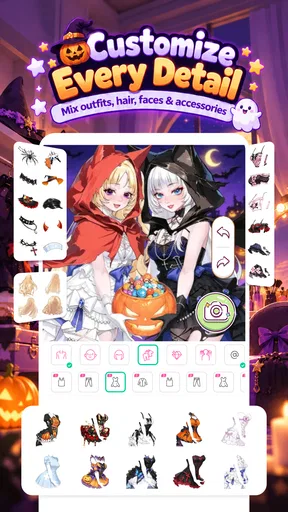
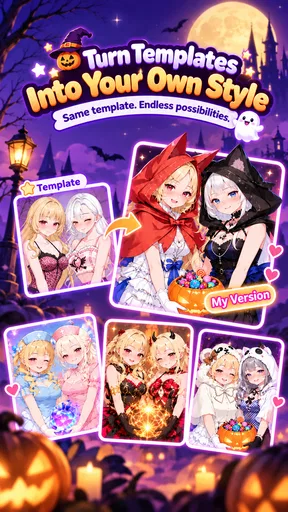
Our Review of Neku: OC character creator
 Analysis by Appyee
I spent time with Neku: OC character creator as an entertainment app, and its main appeal became clear quickly: it gives you a relaxed way to build an original character around a hand-drawn cartoon look. This is not a game with a campaign or a social world to explore. It is a creative workspace for making a character, adjusting the visual details, and enjoying the small decisions that turn a simple design into something that feels personal.
That focus is both its strongest quality and its biggest limitation. If you want a quick character-making activity for a break, a visual starting point for a story, or a playful way to experiment with an OC, I found it easy to enjoy. If you need a professional illustration tool, a full animation package, or a highly technical avatar editor, you will probably outgrow it. The experience works best when you treat it as a friendly sketchbook rather than a replacement for serious art software.
Why the hand-drawn OC approach matters
The important capability here is not simply choosing a face or changing a hairstyle. It is the way the app frames character creation as a collection of visual choices. The hand-drawn cartoon direction gives those choices a consistent identity, so the result feels like it belongs to one illustrated world instead of looking like a pile of unrelated parts.
That consistency makes a difference when I am trying to create a character with a mood. A quiet character, an energetic character, or someone with a slightly unusual personality can be suggested through the combination of appearance decisions. I do not need to write a long description before I begin. I can start with a visual idea and let the design develop through experimentation.
For me, this is more satisfying than a generic avatar builder that mainly aims to produce a profile picture. The cartoon style encourages character thinking. I am not only asking, “Which face looks good?” I am also asking, “What kind of person would have this expression, this look, or this overall presence?” That small shift is where the app becomes useful to writers, role-playing fans, comic beginners, and anyone who likes inventing fictional personalities.
The developer is Neku Avatar Studio, and the app sits in the entertainment category rather than presenting itself as a formal design suite. That positioning feels accurate. I can spend a few minutes making a design, but I can also lose more time refining it because the process is light enough to feel like play. The best result comes from treating each adjustment as part of the character’s personality, not merely as decoration.
Building a character without needing drawing skills
The biggest practical advantage is accessibility. I can have a character idea without knowing how to draw anatomy, hair, clothing, or facial details from scratch. Instead of facing a blank canvas, I work from a visual framework and make decisions inside it. That lowers the barrier for people who have stories in mind but do not yet have the technical ability to illustrate them.
This also makes the app useful for testing ideas. When I am unsure whether a character should look soft, dramatic, funny, mysterious, or confident, I can explore the direction visually before committing to a larger drawing. A quick avatar can reveal whether the concept is working. Sometimes the design suggests a different personality than the one I first imagined, which is a productive surprise rather than a problem.
There is a trade-off, though. A guided creator can help me get started, but it cannot offer the same freedom as drawing every element myself. The final character is shaped by the visual language and choices the app provides. That is excellent for speed and coherence, but less suitable if I already have a very specific design that depends on unusual anatomy, custom clothing construction, or a personal art style.
How I use the editor more effectively
My most useful habit is to avoid trying to perfect the character immediately. I begin with one defining idea: perhaps the character should seem reserved, mischievous, elegant, or approachable. Then I make broad choices that support that idea before worrying about smaller details. This prevents the common problem of creating an attractive design that has no clear identity.
A second helpful approach is to compare variations rather than judging every choice in isolation. I will make one version with a calmer appearance and another with stronger visual contrast, then decide which one better matches the imagined character. Even when I do not keep both, the comparison helps me understand what is actually working.
I also recommend taking breaks during longer sessions. Because the editor is entertaining, it is easy to keep adjusting tiny elements without improving the design. After stepping away, I can usually see whether the character feels balanced or whether I was changing details simply because the controls were available. That is a small workflow improvement, but it keeps the creative process from becoming repetitive.
For a story project, I would use the app at the planning stage. I could create a visual reference for a protagonist, then make separate designs for supporting characters and compare their silhouettes and personalities. For a role-playing group, it could provide a quick way to establish how a new character feels before writing a longer profile. For casual use, the same process works as a relaxing creative exercise with no obligation to produce a polished portfolio piece.
A realistic everyday use case
Imagine having twenty minutes during a commute or after finishing homework. You have an idea for a character but no sketchbook and no desire to learn a complex drawing program. This app fits that moment well. I can open it, begin with a general mood, try a few visual directions, and finish with a character concept that gives the idea a face.
The result may then become a reference for a later drawing, a private writing prompt, or simply something enjoyable to share with friends outside the app. The important point is that the app turns an abstract thought into something visible quickly. It does not demand that I understand layers, brushes, perspective, or file preparation before I can make progress.
That same convenience can help when I feel creatively stuck. Instead of waiting for a perfect idea, I can create a design first and ask questions afterward. Why does this character look serious? What kind of setting would suit them? What would change if their appearance were more playful? The editor becomes a prompt generator, not just a place to assemble an image.
Where it compares well with other options
Compared with starting in a drawing app, this is much faster for character ideation. A drawing app offers more control, but that control can make the first step intimidating. I may spend the entire session choosing brushes or correcting proportions before I have a recognizable character. Neku’s approach is more immediate, which is valuable when the goal is exploration rather than finished artwork.
Compared with a conventional profile-avatar maker, it feels more focused on original characters. A basic avatar tool often encourages me to choose a familiar look and move on. Here, the hand-drawn direction gives the design more of a fictional identity. I am more likely to think about the character as someone who could belong in a story instead of treating the result as a disposable account image.
Compared with a full 3D avatar editor, the experience is less technical and less dependent on managing a detailed model. That makes it approachable, but it also means the finished result is not intended to serve every purpose. Someone preparing a game asset, a rigged model, or a professional character sheet should choose a specialized tool instead.
The compromises I noticed
The same simplicity that makes the app welcoming can make it feel restrictive after repeated sessions. Once I have made several characters, I may want more control over unusual combinations or finer artistic adjustments. If my creative goal depends on drawing a very particular feature rather than selecting from an established style, I will eventually need another tool alongside it.
There is also a difference between making a character and fully developing one. The app can help me discover the visual direction, but it does not replace writing a backstory, defining motivations, or designing a complete world. I have to do that work elsewhere. That is not a flaw in an entertainment creator, but it is worth understanding before expecting the app to become an entire character-development system.
The free entry point is another reason it is easy to try, although optional purchases range from under a dollar to amounts approaching fifty dollars per item. I would approach those purchases carefully. The app is most attractive when I can enjoy the creative process without feeling pressured to collect every possible option. Before spending, I would decide whether a particular addition genuinely improves a project or whether I am simply buying because I have already invested time in the editor.
The age rating is Teen, so I would still use ordinary judgment when deciding whether it is appropriate for a younger user. Parents may also want to look at the purchase flow together with a child, especially if the device is shared. That is practical advice for any free creative app that offers optional paid items, and it helps keep a casual activity from producing an unwelcome surprise.
Performance expectations should also be realistic. A character creator is usually more enjoyable when I have enough time to browse and compare ideas, rather than when I am rushing to produce one exact image. If I only need a single custom icon immediately, a simpler avatar maker may be more efficient. This app earns its place when the process of exploring the design is part of the fun.
Who will get the most from it
I think the strongest audience is people who enjoy original characters but do not want to begin with a blank drawing canvas. Writers can use it to visualize personalities. Comic and illustration beginners can use it to test proportions and design moods before drawing independently. Fans of cartoon aesthetics can enjoy it simply as a creative pastime.
It is also a good choice for anyone who likes making several variations of a concept. Instead of waiting until a character is fully settled, I can use the editor to compare directions and identify the details that matter most. That is especially helpful when collaborating with friends, because a visual draft gives everyone something concrete to discuss.
I would be less likely to recommend it to a professional artist looking for complete control, or to someone who wants a realistic avatar rather than a hand-drawn cartoon one. I would also skip it if my main goal were animation, 3D modeling, or a finished illustration with a personal brush style. In those cases, the usual specialist alternatives are better because they are built around precision rather than quick character exploration.
For device compatibility, the app supports Android starting with version 7.0, which makes it accessible on a broad range of devices. It was released on August 9, 2022, and the current version is 1.8.78.11. Those details matter less than the creative fit, but they are useful when deciding whether an older phone or tablet is suitable for trying it.
My recommendation after using it
The app is free to start, and its popularity is easy to understand: it has a 4.7 average from around 444 thousand ratings, with more than 10 million installs. Those figures do not replace personal taste, but they match my impression that the concept is immediately approachable and has broad appeal.
I would recommend it to a friend who wants a fast, enjoyable way to create cartoon original characters, especially if that friend is building a story or learning how visual character design works. I would tell them to start with a personality idea, make several rough variations, and avoid spending money until they know the editor fits their workflow.
My final view is positive but specific. This is not the app I would choose for professional illustration or advanced avatar production. It is the app I would open when I want to turn a character thought into a coherent hand-drawn concept without fighting a complicated tool. Neku: OC character creator is at its best when speed, experimentation, and personality matter more than unlimited artistic control.
Verdict
Strengths of Neku: OC character creator
- Large library of hairstyles, outfits, poses, and facial features.
- Easy drag-and-drop editing makes character creation beginner-friendly.
- Useful layering controls help customize clothing and accessories.
- Supports colorful anime-inspired designs for original characters.
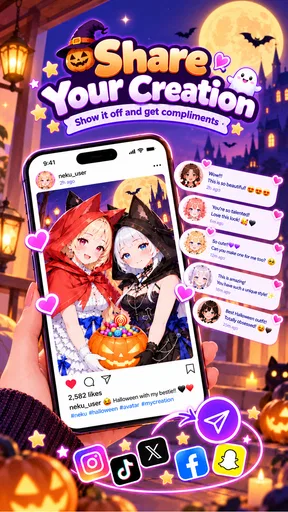
- Characters can be saved and shared for profiles, stories, or artwork.
Limitations of Neku: OC character creator
- Some advanced items and customization options may require payment.
- The anime-focused style may not suit realistic character designs.
- Too many similar assets can make browsing the catalog time-consuming.
- Complex characters may take patience to position and layer correctly.
- Export quality and available formats may be limited for professional use.
Similar Picks in This Category
View All
Google Play Games
Google LLC3.9

Netflix
Netflix, Inc.4.8

YouTube Kids
Google LLC4.2

Disney+
Disney4.4

Prime Video
Amazon Mobile LLC4.7

Steam
Valve Corporation3.2
Frequently Asked Questions
What is Neku: OC character creator used for?
Neku: OC character creator is designed for creating original characters, often called OCs, by combining different visual elements such as hairstyles, faces, clothing, accessories, colors, and poses. It is useful for writers, role-playing fans, artists, and anyone who wants to visualize a character idea without drawing everything from scratch. You can experiment with different styles and use the finished design as inspiration or a reference.
Is Neku: OC character creator easy to use for beginners?
Yes, the app is generally approachable for beginners because character creation is based on selecting and adjusting prepared elements rather than requiring advanced artistic skills. The interface lets you explore options and gradually build a design, making it suitable for casual users as well as people who regularly create characters. However, users looking for highly detailed professional illustration tools may find the customization more focused and limited than a full drawing application.
Can I customize the character’s appearance in detail?
Neku: OC character creator offers customization through multiple character components, allowing you to change the overall look and personality of an OC. Depending on the available content and version, this may include facial features, hair, outfits, colors, accessories, and other visual details. The app works best for stylized character concepts, although the exact range of options may not match the flexibility of dedicated 3D character software or advanced art programs.
Can characters created in Neku be saved or shared?
The app is intended to let users keep the character designs they create and use them outside the editor, such as for personal references, stories, role-playing profiles, or social posts. Sharing options can depend on the device, app version, and permissions, so it is worth checking the export or save controls after finishing a design. Always review the app’s terms before using created images commercially or as part of a paid project.
Is Neku: OC character creator free to download, and does it contain in-app purchases?
Before downloading, check the current Google Play Store or Apple App Store listing because pricing, advertisements, supported devices, and optional purchases can change over time. Some character creators are free with a basic selection of assets while offering extra items, packs, or features through purchases. Reviewing the store description and user comments can help you understand whether the free version provides enough customization for your needs.
